> ## Documentation Index
> Fetch the complete documentation index at: https://docs.nextchat.dev/llms.txt
> Use this file to discover all available pages before exploring further.
# Ollama
## Intro
**Setting Up Ollama for Seamless Integration with NextChat**
Please ensure your client version is greater than or equal to `v2.11.2` and Ollama version is greater than `v0.1.24`
**Introduction:**
Ollama has gained popularity for its efficient model management capabilities and local execution. However, due to the current deployment constraints of Ollama and NextChat, some configurations are required to ensure the smooth utilization of Ollama's model services.
For different system environments, refer to the configuration methods outlined at [https://github.com/ollama/ollama/blob/main/docs/faq.md](https://github.com/ollama/ollama/blob/main/docs/faq.md).
* If you are accessing Ollama from the NextChat client, please add the following to your configuration:
```
OLLAMA_ORIGINS=*://localhost
```
* If you are using OLLAMA from a non-local source, set the following configuration:
```
OLLAMA_HOST="0.0.0.0"
```
It's recommended to replace "0.0.0.0" with the specific domain or IP address you intend to use.
* This step is necessary only if you are accessing the Ollama API over HTTP from a NextChat instance hosted on an HTTPS website.
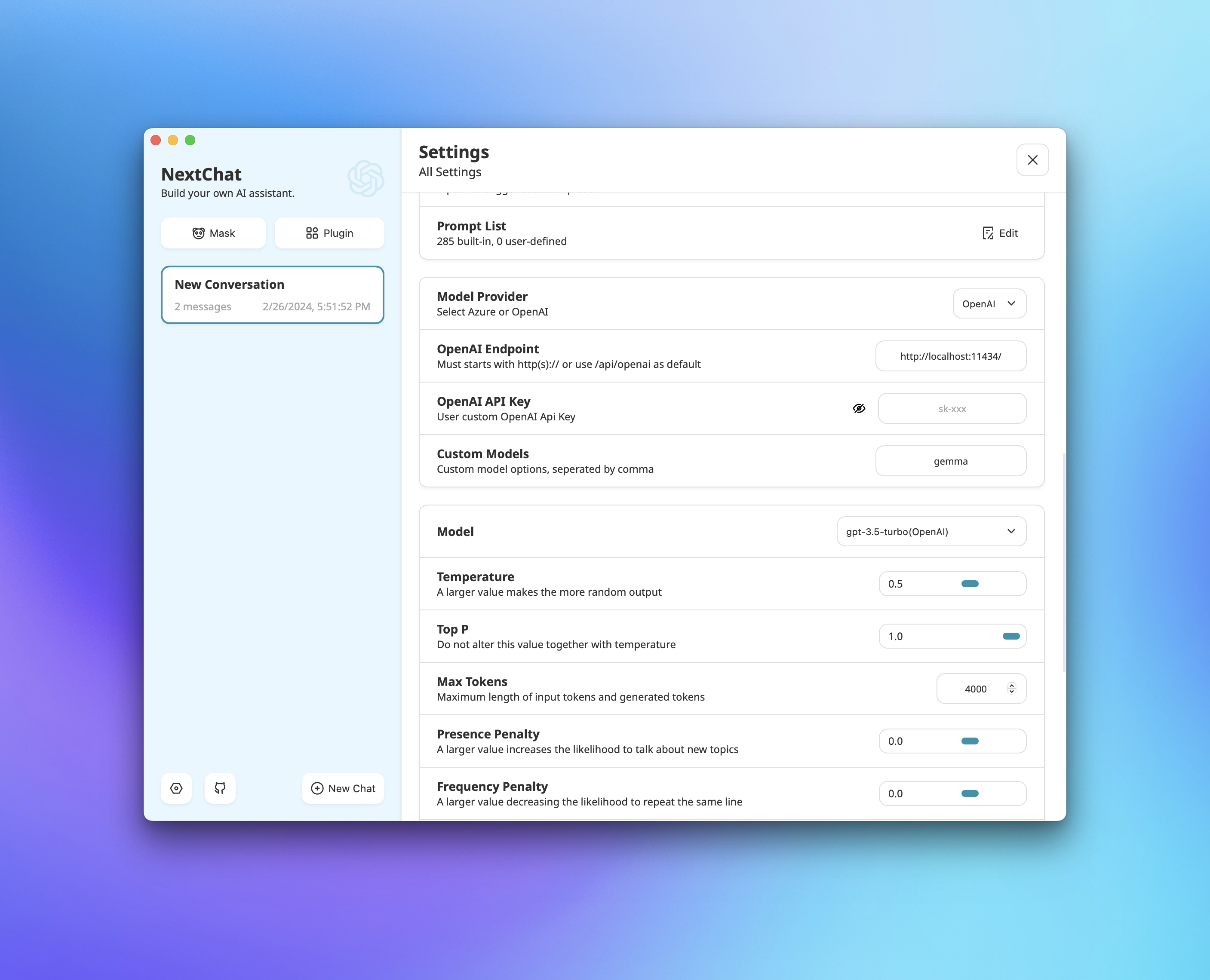
* Update OpenAI Endpoint to your Ollama deployment endpoint(e.g. `http://localhost:11434/`)
* Leave `OpenAI API Key` empty
* Set `Custom Model` to the model you want to use(e.g. `gemma`, `mistral`, 'llama'). Please ensure you have the model installed in your Ollama instance.
 **Note:** Ensure that these configurations are set up before attempting to use Ollama's model services for a seamless experience.